Front & Back Book Mockups

Home > free > Front & Back Book Mockups

Front & Back Book Mockups

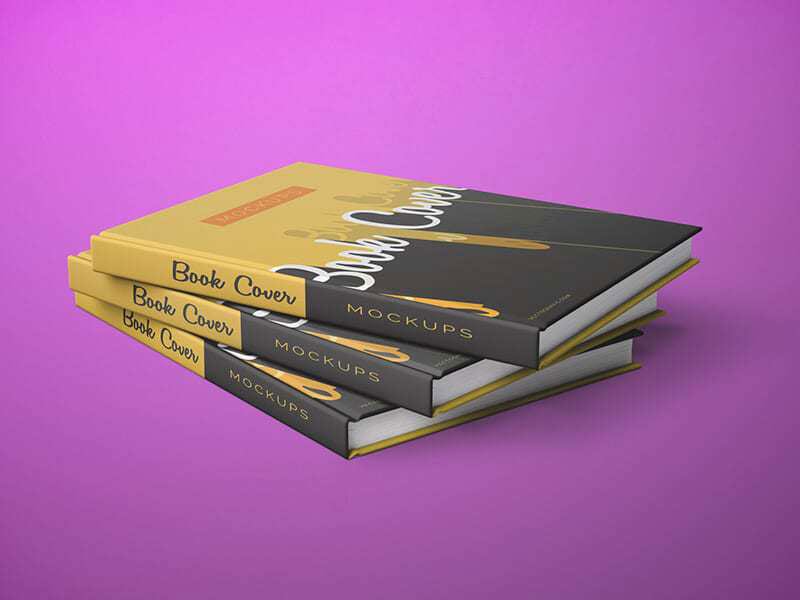
The best Book Mockup to meet your book cover design requirements without any hassle. It is available in layered PSD format through smart object insertion. Using its smart layers, you can easily customize the design and text as per your need and choice.

Front & Back Book Mockups


Applications:
Photoshop
File Types:
PSD
File Size:
275 MB
Dimension:
300 DPI
License:
Free For Use
Author:
Vectogravic.com

MORE MOCKUPS YOU MAY LIKE

You pick out some of free mockup

Dust Jacket Book Mockup PSD

The best Book Mockup to showcase your book cover designs with style and it is featured from two different angles. The free mockup can be easily customized all you need to do is drag and drop your design in the smart object layer.

Open Square Hardcover Book Mockup

This Square Hardcover Book Mockup features a realistic open-page spread, making it the perfect choice for showcasing photography portfolios, art books, coffee table publications, or minimalist branding layouts. This mockup helps photographers, designers, and publishers present their work with sophistication and realism. Whether you’re pitching to a client or building your portfolio, your projects will […]

Hardcover Book In Hand Mockup

The best Book Mockup to showcase your book cover design before you want to print actually print. The free mockup file and use the top smart-object layer to double-click it and place your design and save. You can also change the background color to your liking.

Softcover Book Mockups PSD

The best Book Mockup will take your book design presentation to a higher level and definitely impress your clients. Use smart objects to place your design and prepare the mockup in no time. Customize the shadow and background as per your requirement.

Gravity Branding Square Book Mockup

Customize this square branding psd Book Mockup with a modern free falling design and a dust jacket. Personalize it by inserting your own graphics using the smart layer. Background color is changeable as well.

Hardcover Book Cover Mockup

Free Hardcover Book Cover Mockup PSD of two hardcover books with cloth binding. Just add your own custom design inside the smart object and you are done.

Landscape Book Mockup

Free Landscape Book Mockup PSD to showing a landscape-oriented book. Just add your own custom design inside the smart object and you are done.

Perspective Square Book Mockup

Check out these super realistic square book mockups! Just drop your design into the smart object, and you’ll have an amazing presentation in no time. It’s the quickest way to showcase your cover project!

Children’s Book Mockup PSD

It includes six top-notch PSD files that showcase a hardcover book perfect for young readers. Each scene captures the book’s texture and realistic vibe, making it a great choice for designers diving into children’s publishing projects.

Title Hardcover Book Mockup

The best Book Mockup will take your book design presentation to a higher level and definitely impress your clients. With smart objects, you can edit the graphic canvas layers or delete them entirely and place your own graphics inside without worrying about perspective, light and shadow effects.

Covers Book Mockup

The best Book Mockup to Create a flawless branding of book cover designs. You can change the background colors and desire result can be achieve via smart-object layers.

Realistic Standing Hardcover Book Mockup

The best Book Mockup that can be used for various promotional purposes, or to help you visualize how your book will appear once printed. With just a few clicks, you can replace the existing design with your own, allowing you to create a realistic and high-quality mockup in no time.

Hardcover Open Book Mockup

Free Hardcover Open Book Mockup psd which is ideal for showcasing your book pages and branding designs in photorealistic manner. Just add your own custom design inside the smart object and you are done.

Realistic Hard Cover Book Mockup

The best Book Mockup allows you effectively show off your work in a realistic format without any hassle. All you need do is place your artwork inside the smart layers, hit save and you are done.

Top View Book Mockup

The best Book Mockup with two book and accessories. Easily your layout, adjust the shadows and textures of the resource, and use it for book shop ads, new releases posters, literary bar and book-related events.

Floating Hardcover Book Mockups PSD

This Book Mockup is ideal for authors, publishers, and graphic designers who want to present their work in a clean and professional way. It works well for book layouts, branding projects, and portfolio pieces. This PSD file includes smart object layers for easy and quick customization. These details add a premium look and help your […]

Five Book Mockups

The best Book Mockup includes five different scenes that you can edit to create a full elaborate project for textbooks and manuals as well as artwork collections and encyclopedias. You can customize this PSD mockup via Adobe Photoshop to include the colors scheme, the fonts for the titles and texts, the types of images used, […]

Portrait Hardcover Book Mockup

Check out our Portrait Hardcover Book Mockup to showcase your hardcover portrait book designs. With an isolated shadow & background, this meticulously designed mockup is perfect for displaying your unique projects. This mockup includes 3 PSD files and allows you to easily swap out your designs using smart objects, making it very user-friendly.

Soft Cover Book Mockups PSD

This Book Mockup PSD features three unique shots, allowing you to showcase your design from different angles. Customizing it is quick and effortless, just open the PSD file, replace the placeholder using Smart Object layers, and fine-tune the colors, textures, or background to match your vision. Ideal for authors, publishers, and graphic designers, this mockup […]

Dust Jacket Book Mockup

The best Dust Jacket Book Mockup gives you an idea of how the final design of the cover of your book might look like once it gets printed. All you need do is place your artwork inside the smart layers, hit save and you are done.

ADDED TO CART