Tested across real ecommerce workflows, for Shopify stores, Amazon sellers, fashion brands, and agencies. Every tool rated on what actually matters: consistency, product accuracy, marketplace compliance, and cost per image.
Traditional product photography runs $75–150 per image, with studio day rates starting at $1,500. For a brand with 200 products and six images each, that is $90,000, before seasonal refreshes. AI tools have fundamentally changed this calculation. The best platforms now generate marketplace-ready images in seconds, at $0.05–0.50 each, with quality that meets Amazon, Shopify, and Etsy requirements.
However, quality alone no longer separates tools. What matters now is consistency, product accuracy, and workflow integration. This guide evaluates twelve tools on exactly those criteria.
You may also like:
- 10 Best AI Tools for Graphic Design
- 12 Best AI Mockup Generators
- 15 Best Free Mockup Websites for Designers
- Photoroom — Best all-in-one
- Claid.ai — Best for API automation
- Pebblely — Best budget option
- Flair.ai — Best drag-and-drop studio
- Mokker AI — Best instant studio shots
- CreatorKit — Best for Shopify
- WeShop AI — Best for fashion
- Magic Studio — Best lifestyle scenes
- Pixelcut — Best mobile editing
- Caspa AI — Best for A/B testing
- Adobe Firefly — Best for Adobe users
- MockupTree — Best free PSD library
- Full comparison table
- Real cost breakdown
- Choosing by platform
- FAQ

Photoroom is the most widely adopted AI product photography tool in ecommerce, processing over 100 million product images every month. That scale reflects a product that solves real workflows reliably at volume. Fast, clean background removal paired with AI-generated replacement backgrounds, but the platform has grown into a full product photography suite covering batch processing, marketplace templates, and more.
The mobile app is the standout differentiator. Full professional-grade functionality runs on your phone, critical when photographing products at a warehouse, trade show, or supplier visit. The 1,000+ templates optimized specifically for Shopify and Amazon dimensions eliminate the resizing step that costs time in most alternative workflows.
- ✓ Best mobile experience of any tool on this list
- ✓ Fastest background removal, consistently clean edges
- ✓ 1,000+ marketplace-optimized templates
- ✓ Batch processing handles catalog volume reliably
- ✓ Proven at massive scale, 100M+ images/month
- ✗ Limited consistency controls across large catalogs
- ✗ Complex lifestyle scenes can look artificial
- ✗ Business plan required for team features
- ✗ AI backgrounds less reliable on reflective surfaces
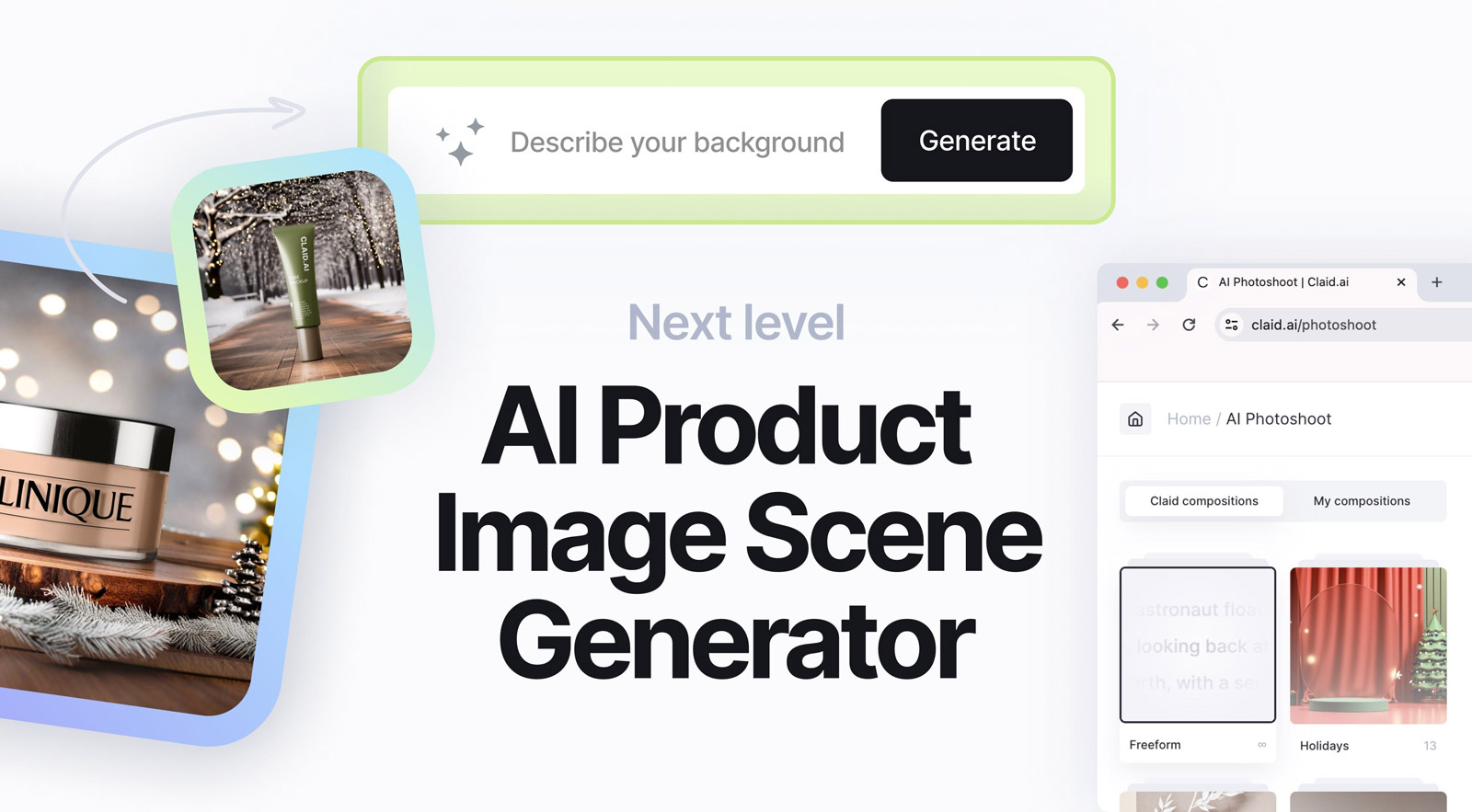
Claid.ai is purpose-built for teams that need to process product imagery programmatically. The API-first architecture lets you integrate AI photography directly into your existing workflow, without manual uploads or downloads for each image. For marketplaces managing thousands of seller-submitted images, this is transformative.
Claid helped Rappi increase the number of restaurants on their platform by 33% after implementing AI-powered food photography. Custom AI models can be trained on your specific product photography, compounding the consistency benefit at high volume. Smart frame handles product centering automatically.
- ✓ Full API, no manual uploads needed
- ✓ Custom AI model training for brand consistency
- ✓ Proven at enterprise scale (Rappi +33% growth)
- ✓ Handles thousands of images in parallel
- ✗ Requires technical comfort for API implementation
- ✗ Not a visual, hands-on creative tool
- ✗ Occasional unintended elements on complex products
- ✗ Higher barrier than browser-based tools
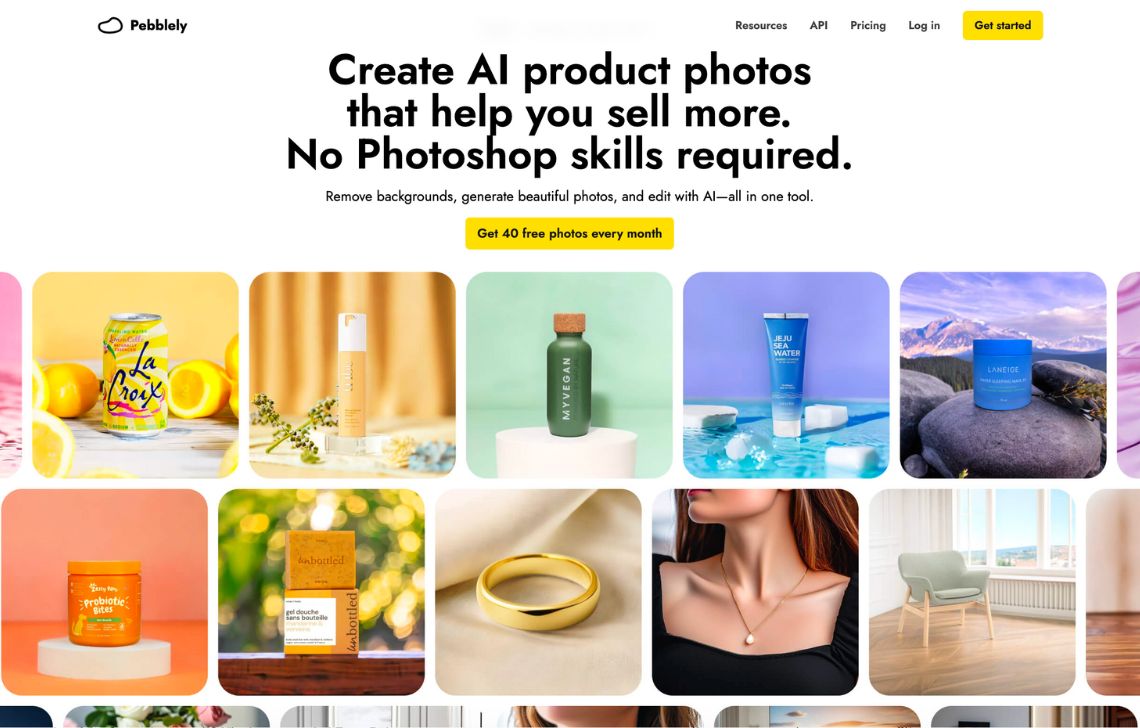
Pebblely is the most generous free tier in AI product photography. Forty images per month, no credit card required, and the tool works through a theme selection system accessible to sellers with no design background. Upload a product image, select from 40+ background themes, and download a professional product photo in under a minute.
The Shopify app integration means generated images can flow directly to product listings without an extra step. Multi-product placement lets you create bundle shots with multiple items on a single canvas. However, the theme-based approach is also the platform’s clearest constraint, you cannot define custom scenes or adjust lighting direction.
- ✓ 40 free images/month, most generous free tier
- ✓ No credit card required to start
- ✓ Shopify native app available
- ✓ Multi-product bundle shots supported
- ✓ Simple enough for non-designers
- ✗ Theme-based, limited creative control
- ✗ Less reliable on complex product shapes
- ✗ No custom brand style profiles
- ✗ Lower resolution on free tier downloads
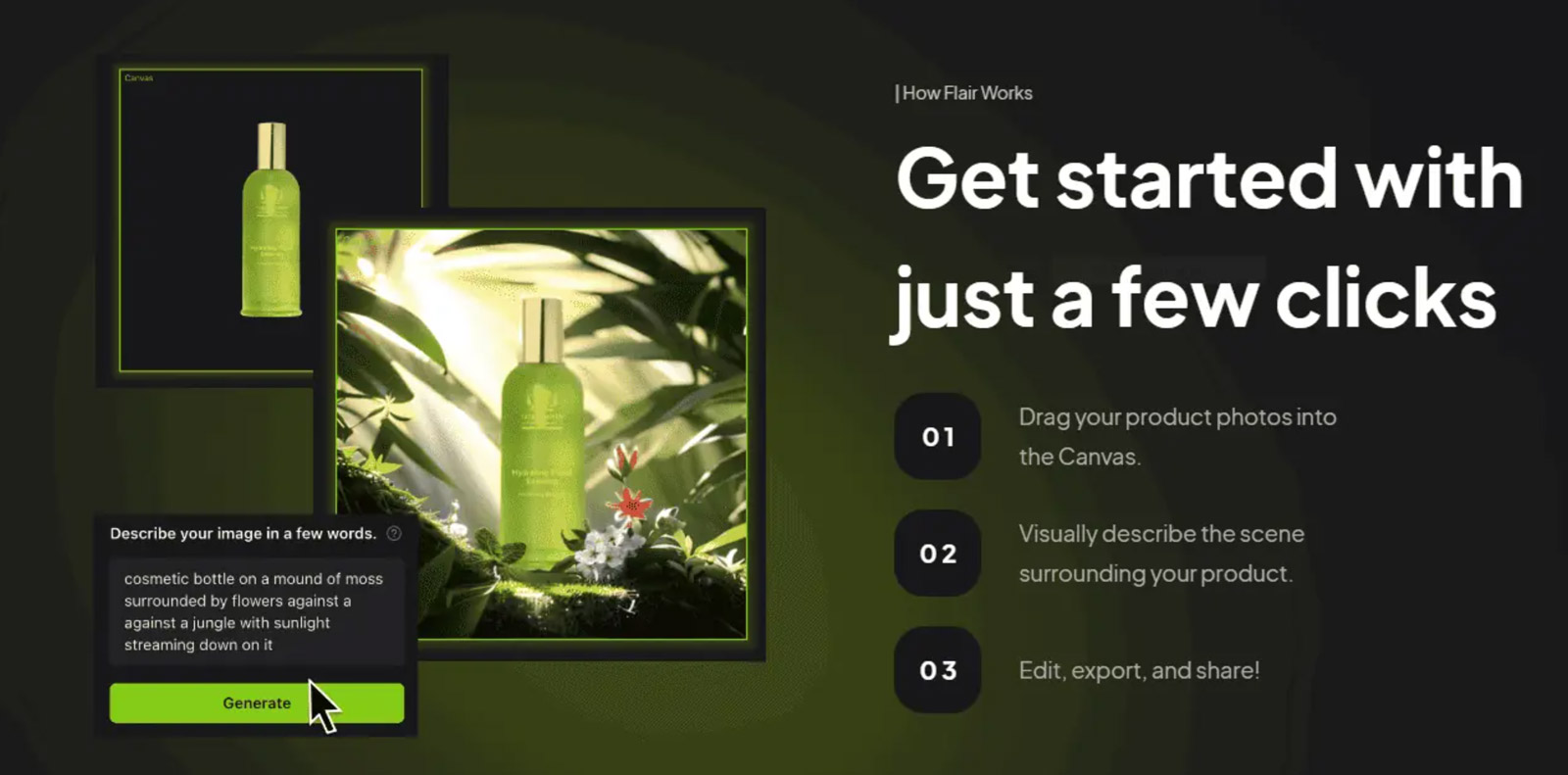
Flair gives you a visual canvas where you drag and position products, props, 3D assets, and environmental elements exactly where you want them, then AI generates the complete scene around your composition. For sellers who want precise control over scene layout without hiring a photographer, Flair is the strongest option on this list.
Flair has documented product distortion issues, particularly around fine text on packaging and reflective surfaces like glassware and polished metal. Test with five to ten images before committing the workflow.
- ✓ Most creative control of any browser-based tool
- ✓ Drag-and-drop canvas, no Photoshop needed
- ✓ Real-time collaboration for small teams
- ✓ Props and 3D assets add scene depth
- ✓ Generous free tier for testing
- ✗ Known distortion on fine text and reflective surfaces
- ✗ Steeper learning curve than background-swap tools
- ✗ Not optimized for high-volume batch processing
- ✗ API access only on Enterprise tier
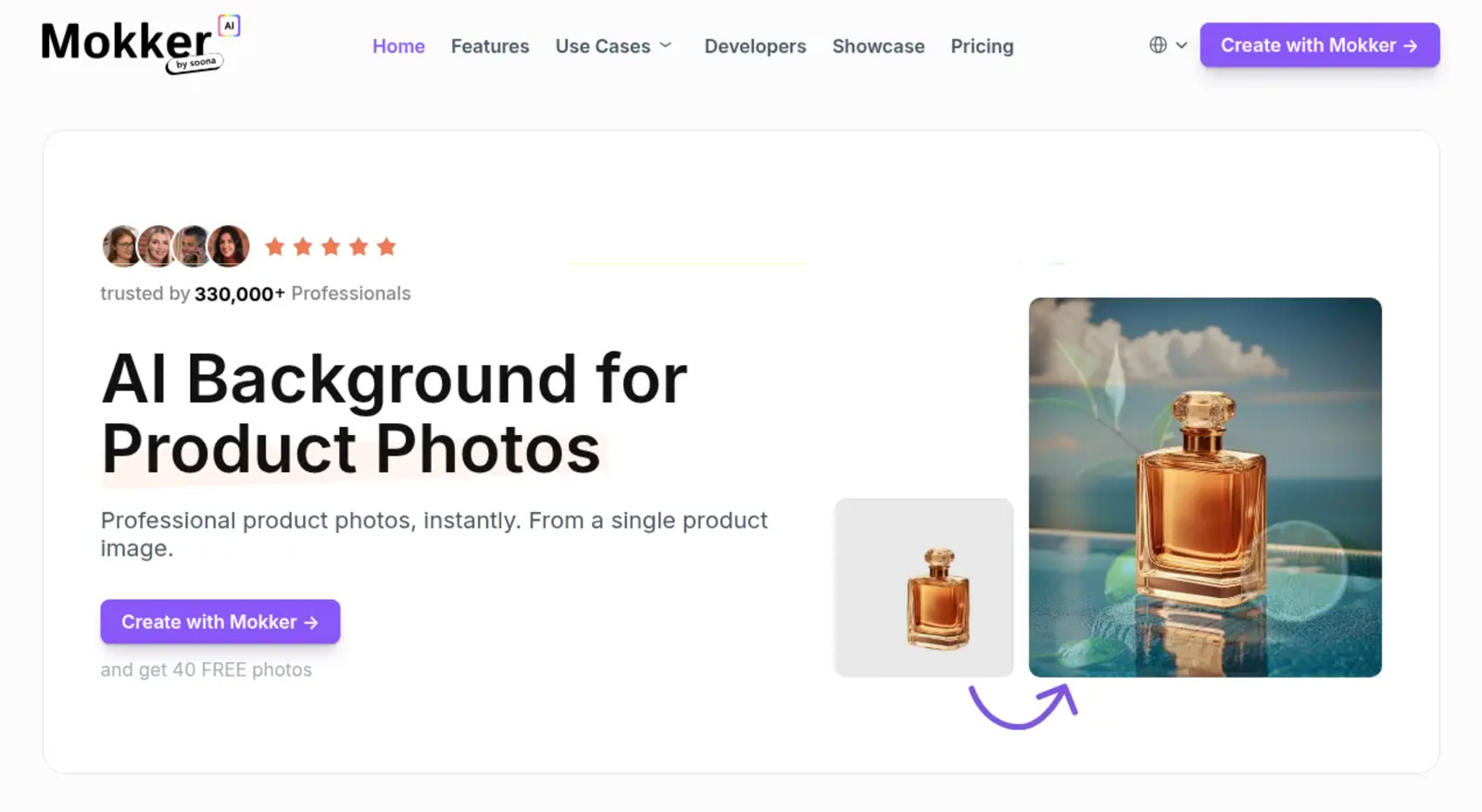
Mokker AI is built around one specific and valuable use case: taking a product photo you already have and generating a clean, professional studio version with an accurate white background in seconds. No manual background removal, no creative decisions required. Upload your product image, and Mokker generates a studio-quality result that typically meets Amazon’s pure white background requirement.
The trade-off is creative limitation. Mokker excels at clean studio shots and does not offer lifestyle scene generation, props, or environmental context. For sellers who need lifestyle imagery alongside studio shots, Mokker should be part of a stack rather than a complete solution.
- ✓ Fastest studio-shot workflow, one step, reliable
- ✓ Reliable white background for Amazon compliance
- ✓ Batch processing for catalog updates
- ✓ Consistent quality on packaged goods
- ✗ No lifestyle scene generation
- ✗ Limited creative control vs. Flair or Photoroom
- ✗ Higher per-month cost relative to feature set
- ✗ Not a complete product photography solution

CreatorKit takes an unusual and compelling approach: generate unlimited AI product images for free, and only pay when you download a result you want to keep. The tool runs inside Shopify admin, meaning the images go directly to your product listings without an extra export step.
The video generation capability is a significant differentiator, CreatorKit generates AI video ads with AI actors and lip-sync, covering both product photography and video advertising from a single platform inside Shopify. The 100+ category-specific templates cover the most common product types: supplements, beauty, skincare, beverages, jewelry, furniture, shoes, and more.
- ✓ Unlimited free generations, zero risk to explore
- ✓ Runs inside Shopify admin, zero friction workflow
- ✓ AI video ads included, photo + video in one tool
- ✓ 100+ product-category-specific templates
- ✓ Images publish directly to Shopify listings
- ✗ Pay-per-download cost unpredictable at high volume
- ✗ Optimized for Shopify, less suited to Amazon-first sellers
- ✗ Fewer advanced editing features than Photoroom
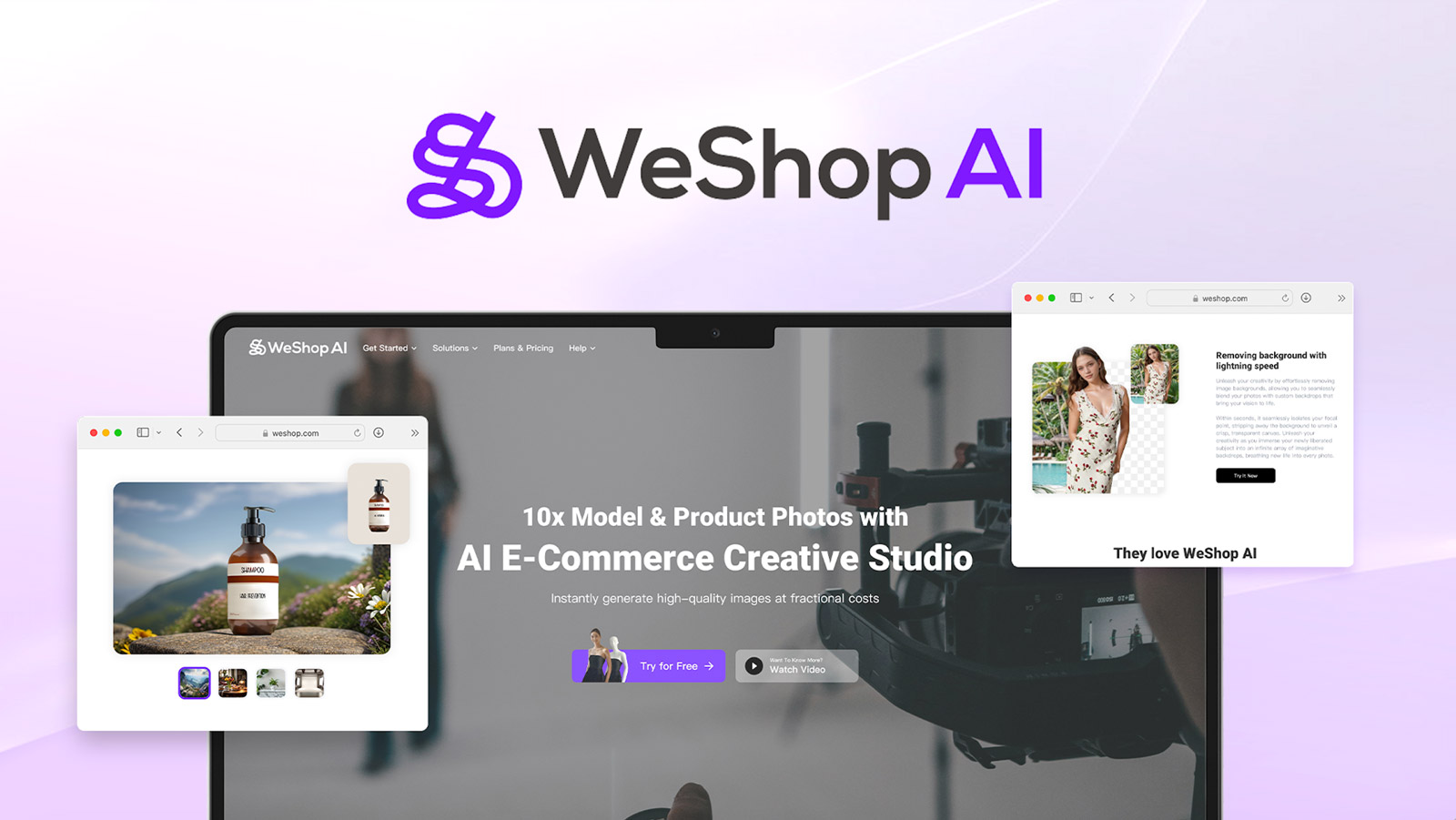
Fashion and apparel is the hardest product photography category for AI. Amazon explicitly requires human models for clothing main images. WeShop AI is built specifically for this challenge. Product-to-Model conversion is the most compelling feature: upload a flat-lay or hanger image of a garment, and WeShop generates a realistic on-model version without requiring a physical photoshoot.
The AI model library covers diverse body types, skin tones, and poses. The recolor tool generates all available colorways of the same garment on the same model in the same pose, a substantial time saver for fashion catalogs with deep color ranges.
- ✓ Best-in-category for clothing and apparel photography
- ✓ Product-to-Model eliminates physical photoshoots
- ✓ Color variant generation from one base shot
- ✓ Diverse AI model library, various body types
- ✓ Designed for Amazon clothing main image requirements
- ✗ Specialized, less useful outside apparel
- ✗ Fine fabric texture detail can be imprecise
- ✗ Less effective on complex print patterns at small scale
- ✗ Higher quality requires paid tier
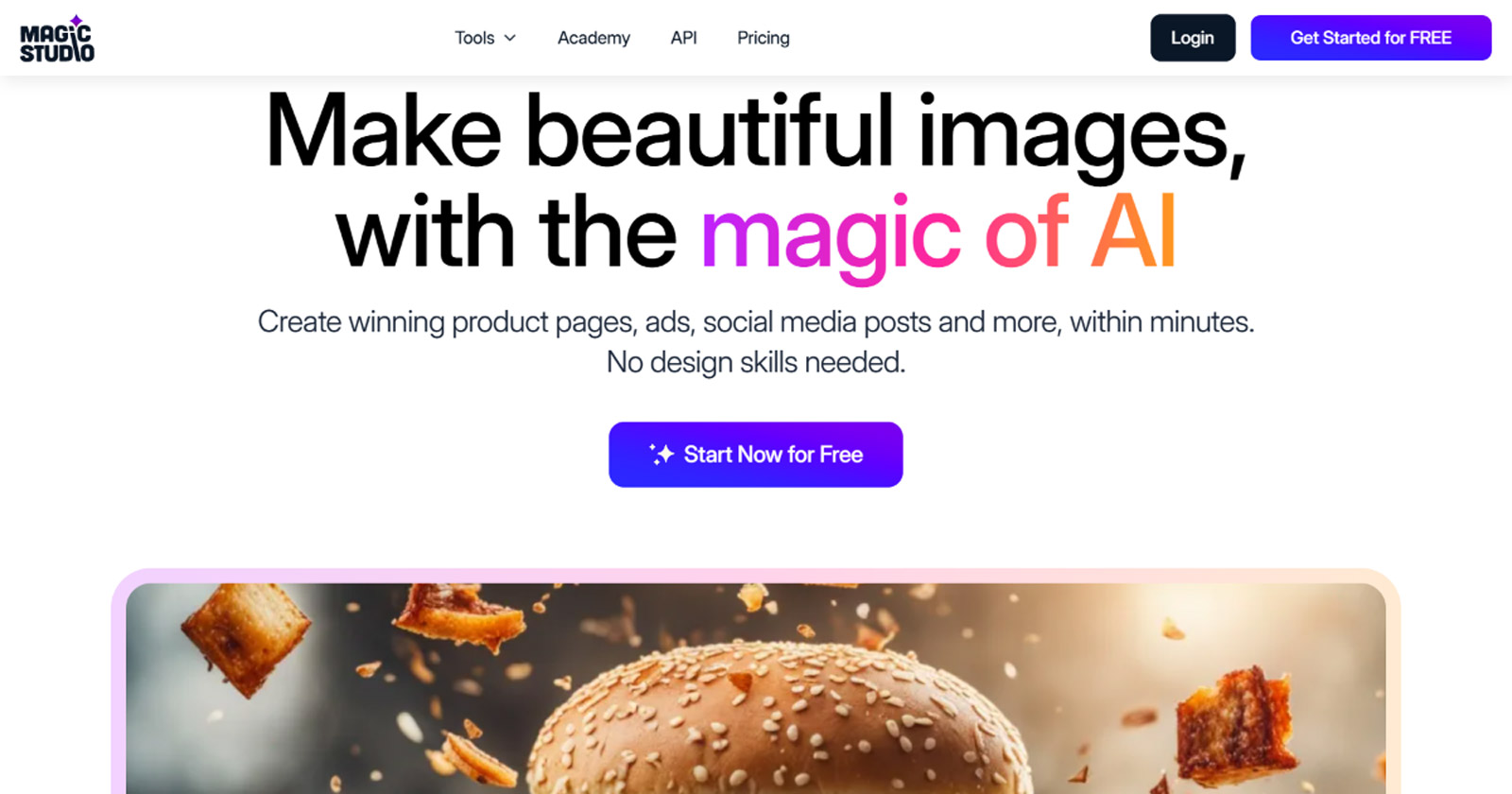
Magic Studio’s toolkit covers Magic Eraser for removing objects from existing shots, Image Upscaler to 4K, Background Remover, and a dedicated Product Photos tool for lifestyle scene generation, placing a kitchen gadget in an actual kitchen, a skincare product on a marble shelf, a camping product in a credible outdoor environment.
- ✓ Strong lifestyle scene generation, contextual environments
- ✓ 4K upscaling for resolution improvement
- ✓ Magic Eraser for removing props
- ✓ Free tier available (40 generations)
- ✗ Product Photos tool costs extra ($49.99/mo)
- ✗ Less effective for white background studio shots
- ✗ Two-tier pricing is confusing
- ✗ Lifestyle scenes less consistent than studio alternatives
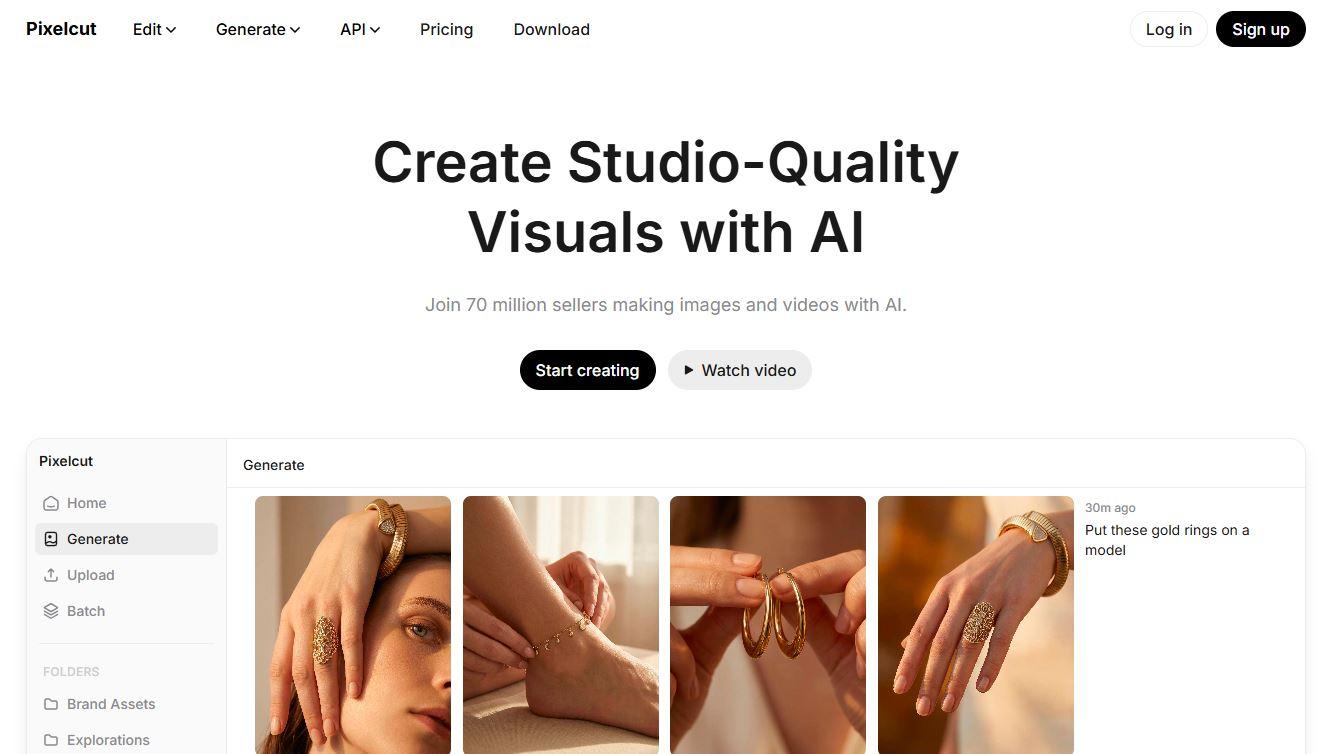
Pixelcut is built for mobile-first sellers who photograph products on their phones and need professional results without a desktop editing step. Background removal, drop shadow addition, and format-specific resizing for Instagram Stories, TikTok, and marketplace thumbnails happen in seconds within the mobile app.
The tool focuses on enhancing photos you already have rather than generating new AI scenes. For sellers who shoot their own products and want to skip the desktop processing step, Pixelcut removes that friction. However, for sellers who need AI-generated backgrounds or virtual models, other tools serve those needs more completely.
- ✓ Fastest mobile product editing workflow
- ✓ Social commerce format presets (TikTok, Instagram)
- ✓ Affordable entry point at $7.99/month
- ✓ Drop shadow and lighting effects for visual depth
- ✓ No desktop required for the full workflow
- ✗ Enhancement-focused, limited AI scene generation
- ✗ Not suitable for large catalog batch workflows
- ✗ Resolution limitations on some free tier outputs
- ✗ Less effective for Amazon main image requirements
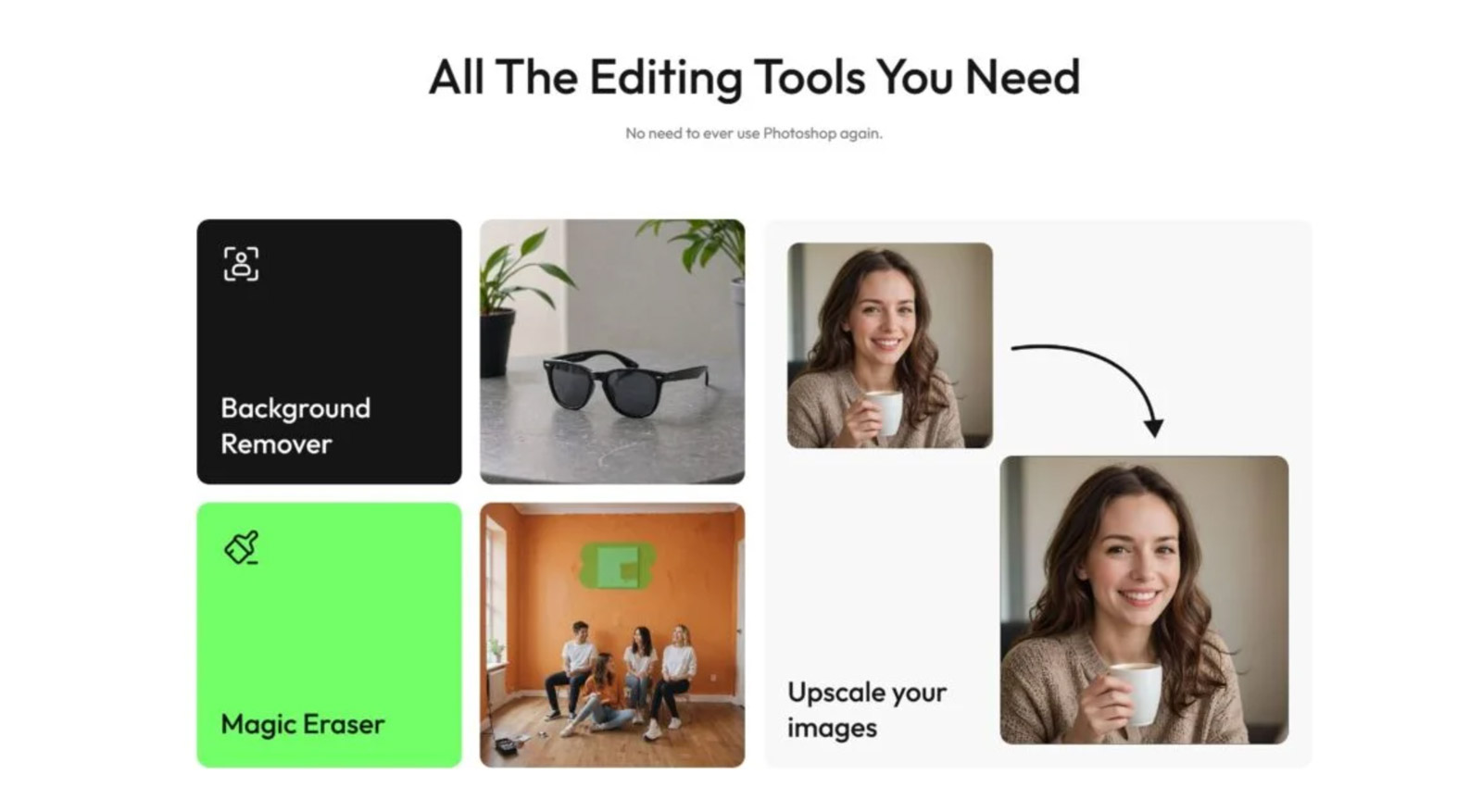
Caspa AI’s Studio Editor walks you through the product photography process step by step. The feature that genuinely differentiates Caspa from every other tool in this guide is built-in A/B testing: generate multiple image variations, test them against each other, and identify which converts best before scaling your listing images.
For Amazon sellers, where the difference between a 3% and a 4% conversion rate is significant revenue, this testing capability has real ROI. The Infographic builder covers Amazon A+ content, extending Caspa’s utility beyond main images.
- ✓ Only tool with built-in A/B testing for listings
- ✓ Guided Studio Editor, accessible for non-designers
- ✓ Amazon A+ content Infographic builder
- ✓ AI human and animal models for lifestyle shots
- ✗ Theme-based approach limits creative customization
- ✗ Higher starting price than comparable tools
- ✗ Less batch processing capability at scale
- ✗ A/B testing requires sufficient traffic to be useful
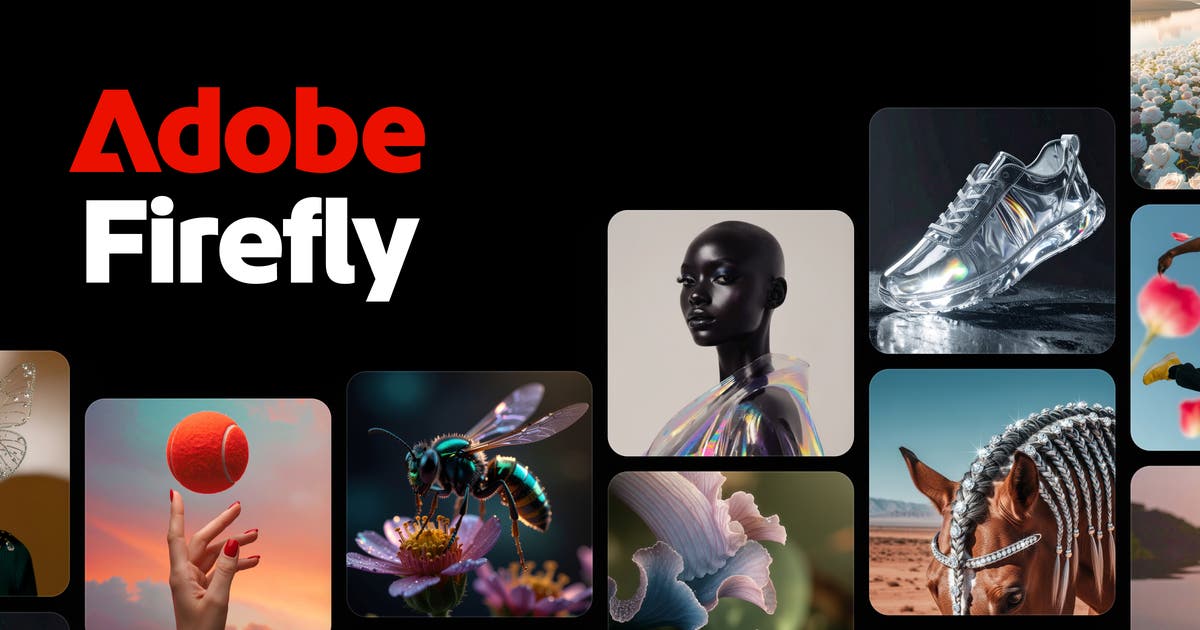
Adobe Firefly is an AI layer built into the tools most professional photographers and designers already use. Generative Fill inside Photoshop lets you select any region of a product image, describe what should replace it, and generate replacements that match the surrounding lighting and perspective.
Adobe trained Firefly exclusively on licensed content and public domain material, giving it the strongest chain of commercial rights for any AI-generated output. For agencies where IP disputes carry legal and reputational risk, this is the most defensible choice.
- ✓ Lives inside Photoshop, zero workflow friction
- ✓ Strongest commercial IP safety of any tool on this list
- ✓ Generative Expand for extending product images
- ✓ Generative Fill for removing and replacing elements
- ✓ Included in Creative Cloud subscription
- ✗ Not a standalone product photography tool
- ✗ Slowest generation speed (~60 sec/prompt)
- ✗ Conservative outputs, less creative range
- ✗ Limited value for sellers without Photoshop

Every AI product photography tool on this list generates images from your product photos. MockupTree solves a different problem: showing your product, or your AI-generated design, in the professional context that influences buying decisions. A label design on an actual bottle. A graphic on a t-shirt. A logo on a business card. A packaging design on a shelf. MockupTree provides 6,000+ professionally photographed PSD files, all free, all commercially licensed, no account required.
MockupTree covers categories that most AI photography tools handle poorly: outdoor signage, device screens, stationery sets, packaging assemblies, and branded environment shots. The 300 DPI output meets print requirements. Smart object layering in Photoshop makes placement precise rather than approximate.
- ✓ 6,000+ files — largest free commercial PSD library online
- ✓ Zero cost, zero account, zero attribution required
- ✓ Covers packaging, apparel, devices, signage
- ✓ 300 DPI output, print-ready for client presentations
- ✓ Smart object placement, precise, not approximate
- ✗ Requires Photoshop or compatible editor (Photopea is free)
- ✗ Complements AI tools, not a replacement
Full Comparison: All 12 Tools at a Glance
| # | Tool | Best For | Free Tier | Price | Batch | Amazon |
|---|---|---|---|---|---|---|
| 1 | Photoroom | All-in-one, mobile | 1 HD/day | $9.99/mo | ✓ | ✓ |
| 2 | Claid.ai | API automation | ✗ | $9/mo | ✓✓ | ✓ |
| 3 | Pebblely | Budget, beginners | 40/mo | $19/mo | Limited | ✓ |
| 4 | Flair.ai | Creative control | Limited | $10/mo | Limited | ✓ |
| 5 | Mokker AI | Instant studio shots | Limited | $27/mo | ✓ | ✓✓ |
| 6 | CreatorKit | Shopify integration | Unlimited gen | Pay/download | ✓ | ✓ |
| 7 | WeShop AI | Fashion & apparel | Trial | $9.9/mo | ✓ | ✓✓ |
| 8 | Magic Studio | Lifestyle scenes | 40 gen | $4.99/mo* | Limited | Moderate |
| 9 | Pixelcut | Mobile, social | Basic | $7.99/mo | Limited | Moderate |
| 10 | Caspa AI | A/B testing, Amazon | ✗ | $24.50/mo | Limited | ✓ |
| 11 | Adobe Firefly | Photoshop users | Limited | $9.99/mo | ✗ | ✓ |
| 12 | MockupTree | PSD mockup library | ✓✓ Fully free | Free forever | N/A | ✓✓ |
The Real Cost: AI vs. Traditional Product Photography
Traditional product photography pricing is deceptively simple. Quoted rates of $75–150 per image do not include the full cost: photographer day rates run $1,500–3,000, studio rental adds $1,000/day, and retouching costs $50/image on top. The effective per-image cost including retouching, studio, sample shipping, and coordination is typically 2–3x the quoted rate.
| Approach | Cost Per Image | Setup Cost | 200-SKU Catalog |
|---|---|---|---|
| Traditional studio (basic) | $75–150 | $1,500+ day rate | $90,000–180,000 |
| Traditional studio (lifestyle) | $300–500 | $3,000+ per day | $360,000–600,000 |
| AI tools (subscription) | $0.05–0.50 | $10–50/month | $60–600/year |
| MockupTree + Photoshop | $0 (free) | Photoshop only | $0 (free) |
Choosing the Right Tool for Your Selling Platform
For Amazon Sellers
Amazon requires pure white backgrounds (RGB 255,255,255), minimum 1,600 pixels on the longest side, and the product must occupy at least 85% of the image space. Women’s and men’s clothing must appear on human models for main images.
Recommended: Mokker AI for studio shots (most reliable white background compliance), WeShop AI for clothing categories, Caspa AI for A/B testing listing images systematically.
For Shopify Sellers
Shopify’s requirements are more flexible, you control the aesthetic standards. The priority is visual consistency across your catalog and lifestyle imagery that matches your brand positioning.
Recommended: CreatorKit for the tightest Shopify integration. Photoroom if you need the broadest feature set. Pebblely if you are just starting out and want a free Shopify app to test with.
For Etsy Sellers
Etsy rewards visual differentiation more than any other marketplace. Unique lifestyle scenes and distinctive backgrounds signal handmade quality that generic white background shots undercut.
Recommended: Flair.ai for creative control. Pebblely for theme-based variety. MockupTree PSDs for presenting designs in context before production.
For Agencies Managing Multiple Clients
Recommended: Claid.ai’s API for automation at enterprise volume. Adobe Firefly for the most defensible commercial IP safety. MockupTree’s free library for client presentation needs without additional cost per project.
Frequently Asked Questions
Pebblely offers the most generous free tier, 40 images per month with no credit card required. CreatorKit offers unlimited free generation (pay only to download). For PSD-based mockups, MockupTree provides 6,000+ files completely free with commercial licensing, the most generous free resource in the entire category.
Yes, but not all tools do it reliably. Amazon requires pure white backgrounds (RGB 255,255,255), minimum 1,600px resolution, and 85%+ product coverage. Several tools produce off-white backgrounds that fail Amazon’s automated compliance checks 20–30% of the time on complex subjects. Mokker AI and Photoroom with proper settings are the most reliable. For clothing, WeShop AI handles the human model requirement that Amazon mandates for apparel main images.
AI product photography tools take an existing photo of your physical product and enhance it, generating new backgrounds, scenes, or on-model placements. PSD mockups like those from MockupTree let you present a product design in a realistic context before the product is physically produced. Both serve distinct and complementary purposes: PSD mockups for pre-production presentation, AI photography for ongoing catalog management at scale.
For most ecommerce brands, AI tools cost 300 to 3,000 times less per image than traditional photography. Traditional photography including studio rental, photographer fees, sample shipping, and retouching runs an effective $150–500+ per final image. AI subscription tools generate the same catalog volume for roughly $0.05–0.50 per image. For a 200-product catalog with six images each, traditional costs $90,000–300,000. AI costs $60–600 per year.
According to Clutch.co research, 57% of consumers cannot identify AI-generated photos, and 82% are open to AI imagery in commercial contexts. The more relevant metric is product accuracy: consumers lose trust when the physical product does not match the listing image, regardless of whether it was AI-generated or traditionally photographed.
The Right Tool for Every Ecommerce Situation
The best AI product photography tool is the one that fits your workflow, platform, product type, and production volume. Here is the quick-reference guide:
- 🏆Best all-in-one platform: Photoroom — 100M+ images monthly, mobile-ready, marketplace templates, proven at scale.
- ⚙️Best for API automation: Claid.ai — enterprise-grade batch processing, custom AI model training, programmatic integration.
- 🅾Best free tier: Pebblely (40/mo) or CreatorKit (unlimited generation, pay per download).
- 🎨Best creative control: Flair.ai — drag-and-drop canvas, precise scene composition, real-time collaboration.
- 😧Best for fashion & apparel: WeShop AI — virtual models, product-to-model conversion, Amazon clothing compliance.
- 🛍Best for Shopify sellers: CreatorKit — runs inside Shopify admin, includes video ads, zero export friction.
- 📊Best for Amazon conversion optimization: Caspa AI — only tool with built-in A/B testing for listing images.
- 📱Best for mobile & social commerce: Pixelcut — fastest mobile editing, social format presets, no desktop required.
- 🏛️Best for existing Adobe users: Firefly — lives inside Photoshop, strongest commercial IP safety story.
- 🖼️Best free mockup library: MockupTree — 6,000+ PSD files, commercial license, no account, no cost. The complement every AI photography stack is missing.
Most effective ecommerce sellers in 2026 use two tools in combination: an AI photography platform for ongoing catalog production at scale, and MockupTree’s free PSD library for presentation images, design mockups, and brand context shots that go beyond what AI photography tools cover.
